
All features
One system, every part of your business connected.
From the checkout screen to the balance sheet, every Juragan Kasir module is connected. An order comes in, the kitchen knows, stock is deducted, and the books are updated. No double entry.
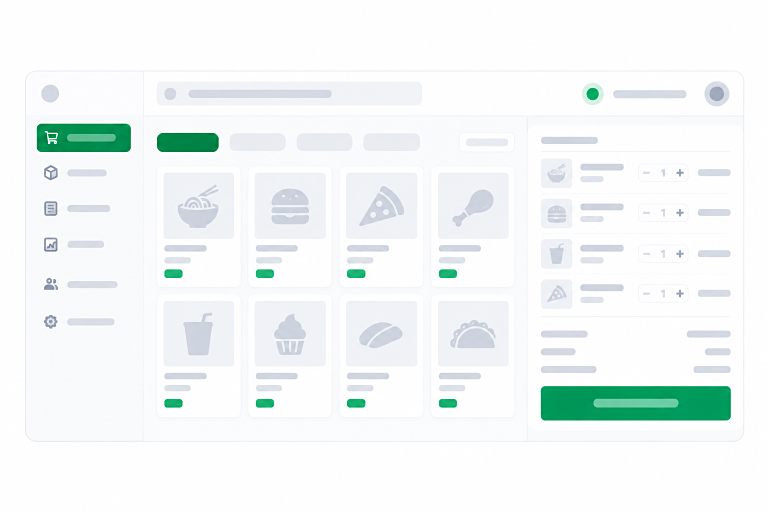
Fast checkout at your busiest hour
A checkout screen built for speed: search the menu or scan a barcode, add notes, take payment, print the receipt. Totals are always calculated by the system, so nothing gets miscounted.
What you can do
- Search the menu or scan a barcode, add notes and options per item
- Hold an order and resume it anytime
- Split bills and partial payments
- Cash, QRIS, e-wallet, card, each with a reference number
- VAT (PPN) and service charge calculated automatically
- Keyboard shortcuts for fast cashiers
- Print thermal receipts and send invoice links via WhatsApp
Customers order themselves, staff focus on service
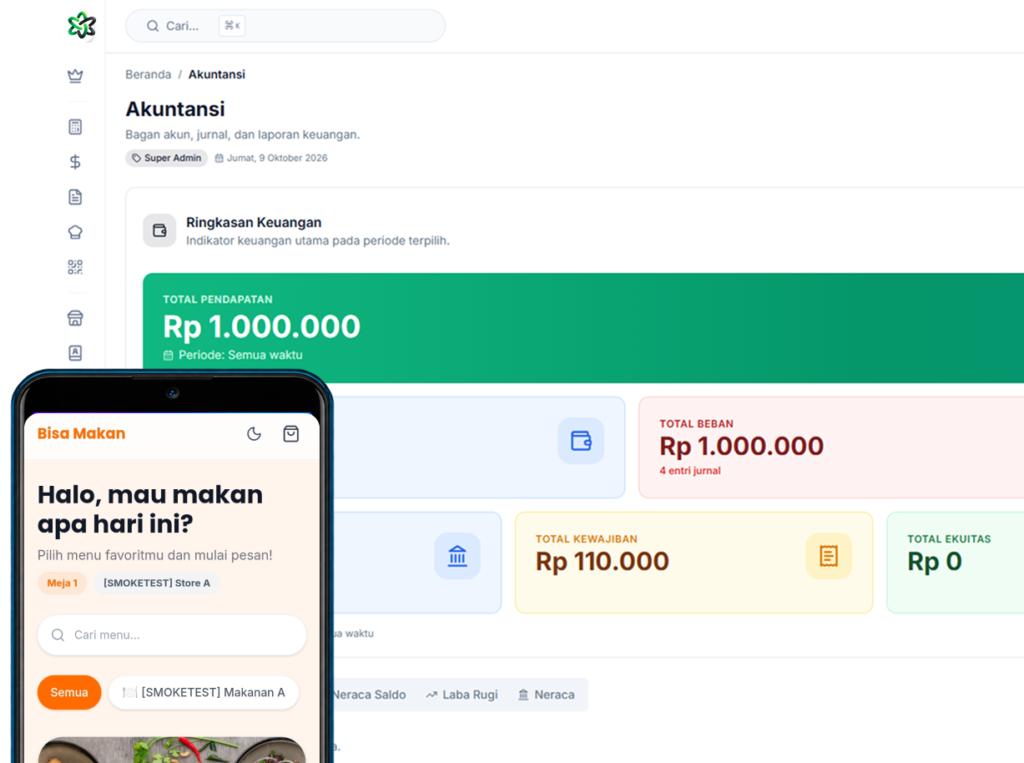
Put a QR code on every table. Customers scan, browse the menu, and order from their own phones without installing an app. Orders go straight to the cashier and the kitchen.
What you can do
- A digital menu per table that opens on any phone
- Customers track their order until it's ready
- A call-waiter button
- Orders flow automatically into the cashier queue and the kitchen display
- The cashier takes payment at the outlet
- Follows store hours: outside opening hours, orders are clearly declined
The kitchen knows what to cook, in order and clearly
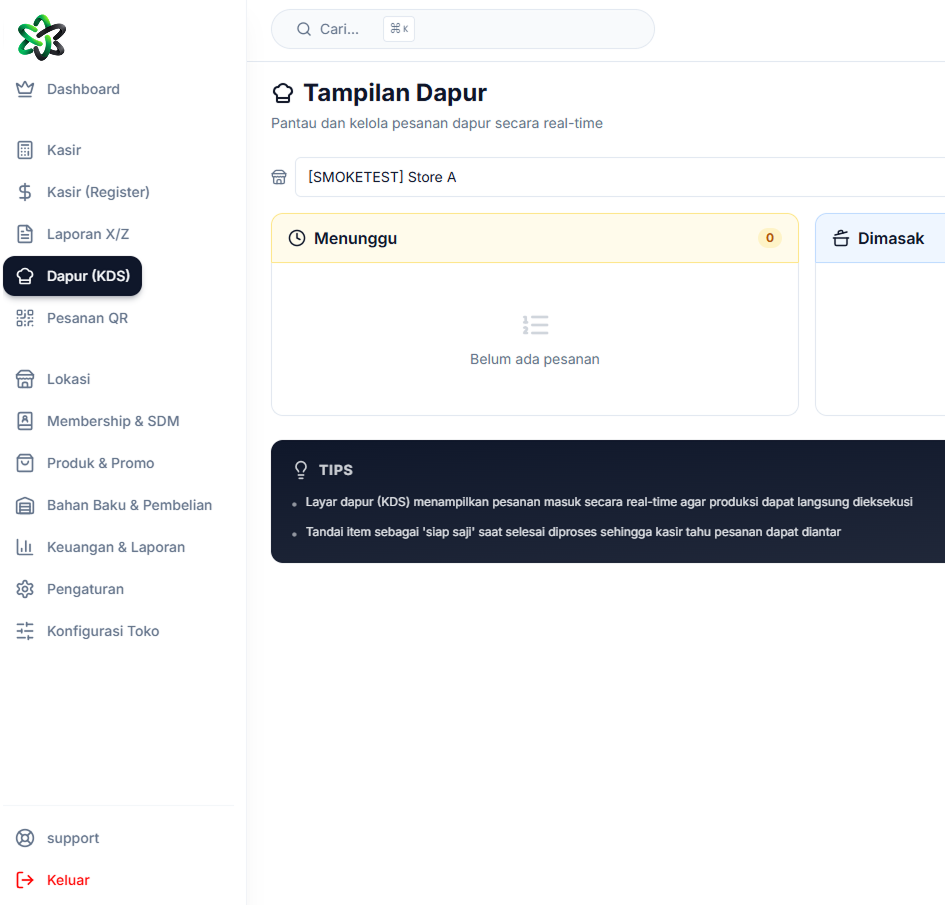
Replace paper tickets that get lost or misread. Every order from the cashier and table QR codes appears on one kitchen screen, neatly queued.
What you can do
- Orders arrive automatically by table and queue
- Per-item status: waiting, cooking, ready to serve
- The cashier instantly knows which orders can go out
- An order queue screen for customers
- Opens on any kitchen tablet or monitor
Know exactly what's used, what's left, and what's leaking
Set up a recipe once and the rest runs itself. Every serving sold automatically deducts ingredients at the selling outlet. The cost of goods for every menu item becomes visible, so you know your real margin.
What you can do
- Recipe/BOM per menu item, ingredients deducted per serving
- Cost of goods per menu item to calculate margin
- Stock per outlet and per warehouse
- Stock counts, adjustments, and full stock history
- Stock transfers between locations
- Bundles/combos and different prices per store
- Central kitchen production and delivery to branches
Purchases on record, supplier payables under control
From ordering goods from a supplier to paying the bill, everything is recorded in one flow. Received goods are added to stock immediately, and receiving discrepancies are flagged.
What you can do
- Purchase Order → Goods Receipt → Payment
- Purchase returns and receiving discrepancies on record
- Supplier payables (AP) dashboard
- Performance of each supplier
- Ingredient and supplier categories
Tidy books without being an accountant
Every transaction becomes a journal entry automatically. Cash is counted and reconciled every shift, and differences must be approved. At month end, your profit and loss and balance sheet are already prepared.
What you can do
- Open/close the register per shift and count the drawer
- Cash differences approved by a supervisor
- X (mid-shift) and Z (end-of-shift) reports
- Expenses and expense categories
- Automatic double-entry journals from transactions
- Trial balance, profit and loss, balance sheet, and cash flow
Decisions based on data, not gut feeling
See sales, stock, and outlet performance anytime without waiting for manual tallies. The report on screen is exactly what you export.
What you can do
- Per-store and consolidated dashboards
- Daily reports and sales reports
- Stock reports and movement history
- Configure report columns to fit your needs
- Exports match exactly what's shown on screen
Bring customers back
Know your loyal customers and give them a reason to return. Points, member tiers, and promos are managed in one place and apply instantly at checkout.
What you can do
- Member list and member tiers
- Loyalty points: earn and redeem
- Discounts and promo campaigns
- Sales returns with stock restoration
Faster table turnover
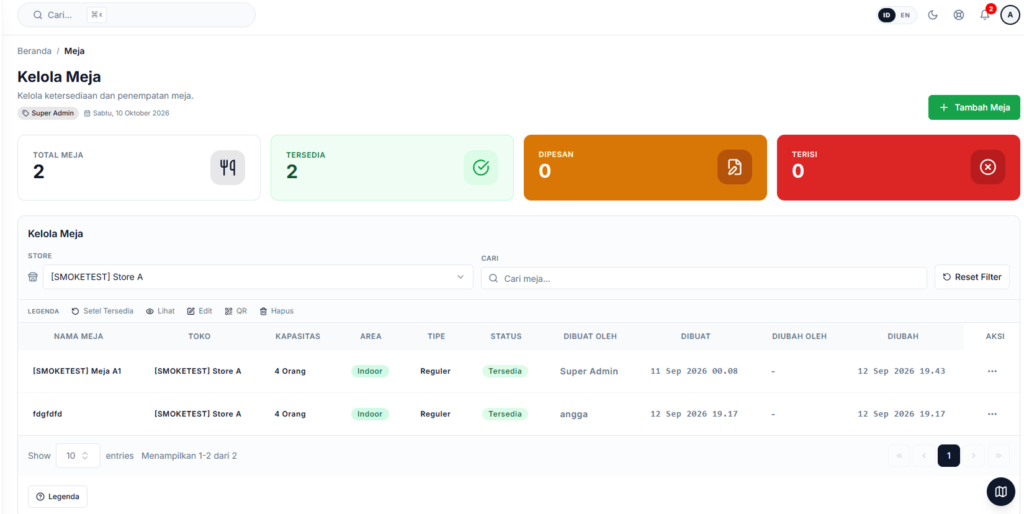
See at a glance which tables are occupied, free, or reserved. The cashier can release a table as soon as guests are done.
What you can do
- Table list with available, occupied, and reserved status
- The cashier resets cleared tables from the checkout screen
- Table reservations
- Customer queue management
An organized team, clear schedules
Employee records, shifts, and overtime live in the same system as your transactions. Each employee logs in with their own account, so every action is recorded under the right name.
What you can do
- Employee and department records
- Shift and overtime schedules
- Business trips
- A login per employee matching their role
Many branches, one control center
Manage every store and warehouse from one business account. People only see and change what's part of their job, and every important change is logged.
What you can do
- One business account for many stores and warehouses
- Roles and permissions per menu: owner, store admin, cashier, staff
- Employee access limited per store
- Audit log for important changes
- Each business's data kept separate and protected
Which module do you want to see first?
We'll demo it around your type of business and workflow. Free, no commitment.